PlateMap Studio
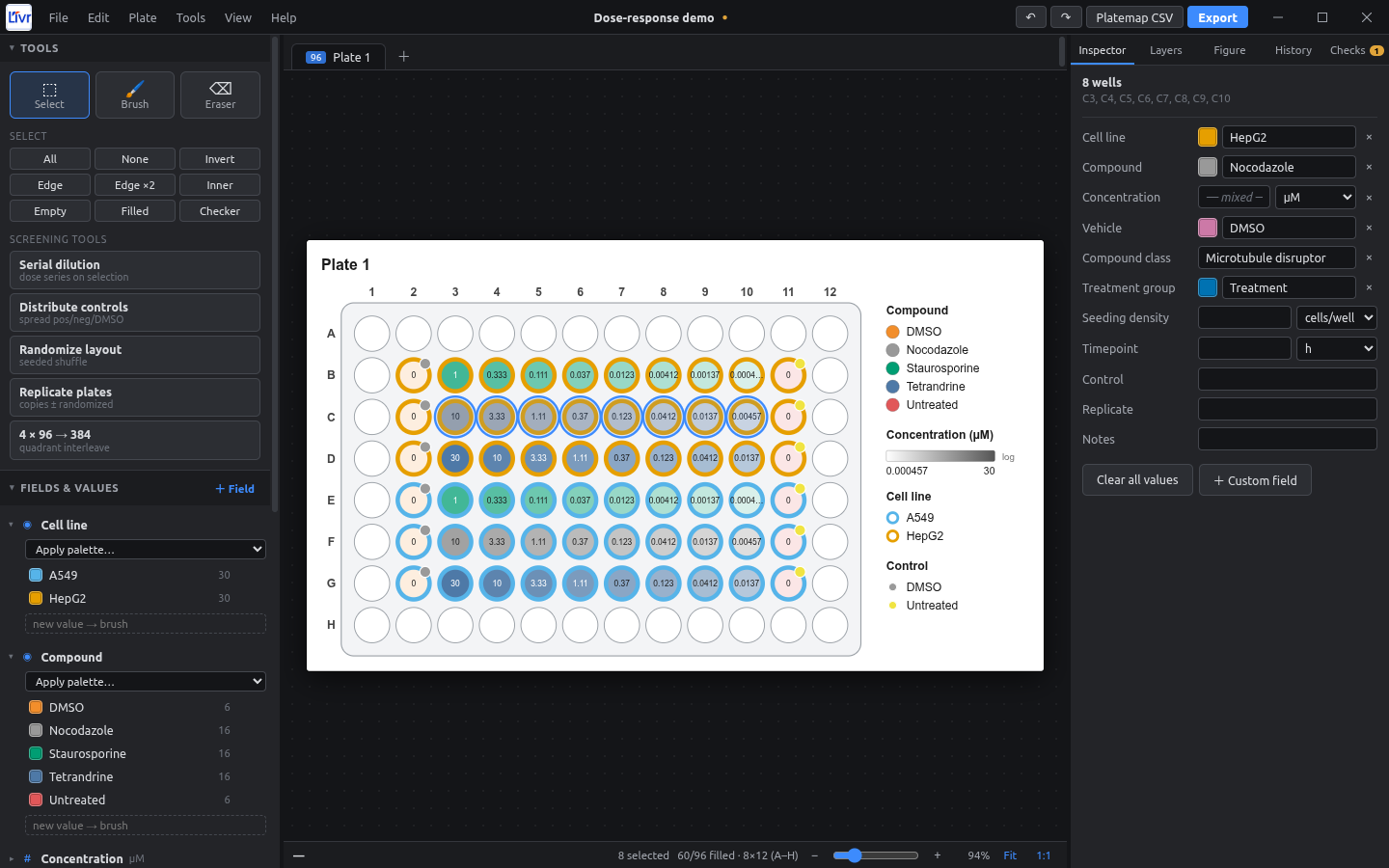
A desktop plate-map designer for high-content screening and Cell Painting. You design the layout on the plate, can undo any edit, and export figures for papers and platemaps for pycytominer.
What it does
-
Any plate format
6, 12, 24, 48, 96, 384 and 1536 wells, or custom rows × columns. Several plates can live in one project.
-
Undo any edit
Unlimited undo and redo, plus a History panel that lets you jump back to any earlier step.
-
Your own metadata
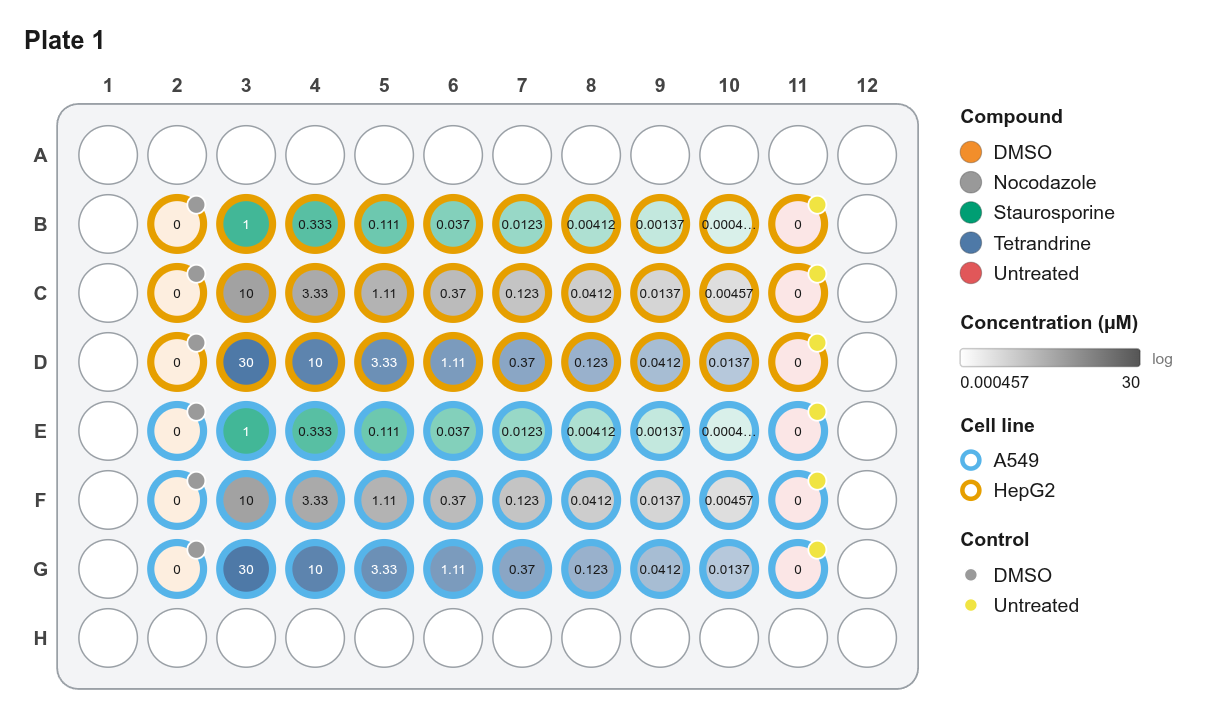
Cell line, compound, concentration, vehicle and any custom field you need. Each value can have its own unit: nM, ng/ml, % v/v and more.
-
Clear figures
Layers show several fields at once. A Photoshop-style color picker and colorblind-safe palettes are built in.
-
Screening tools
Serial dilutions, evenly spread controls, layout randomization with a seed, replicate plates, and 4 × 96 → 384.
-
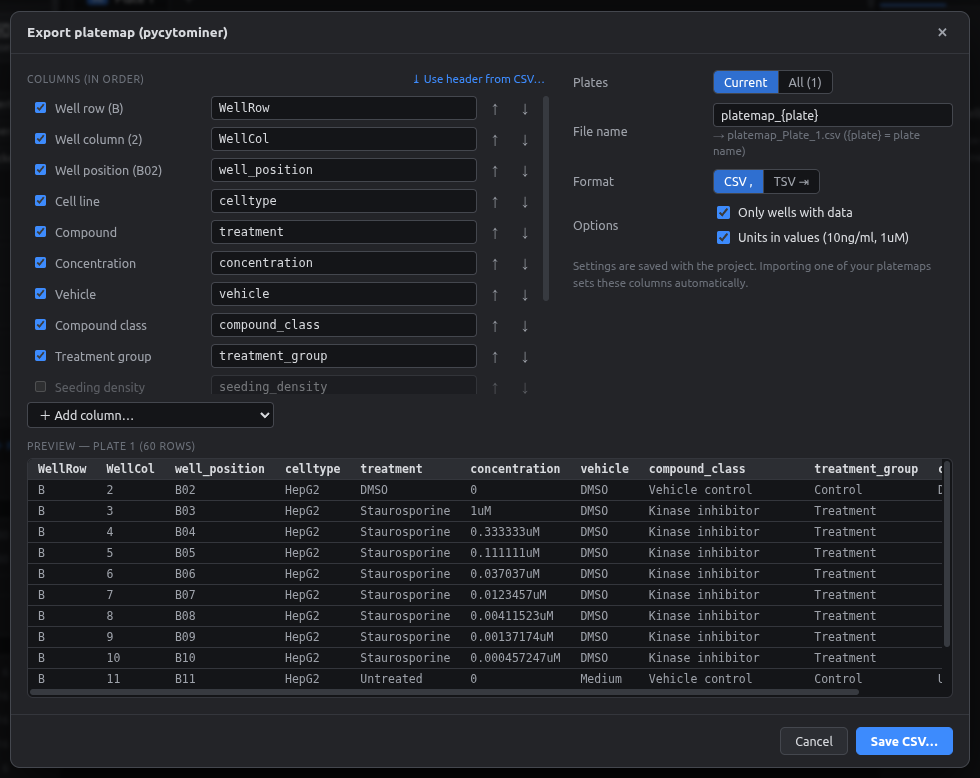
Ready for pycytominer
Exports platemaps with your exact column names, one file per plate, plus
barcode_platemap.csv. Vehicle and compound class fill in automatically.
See it in action
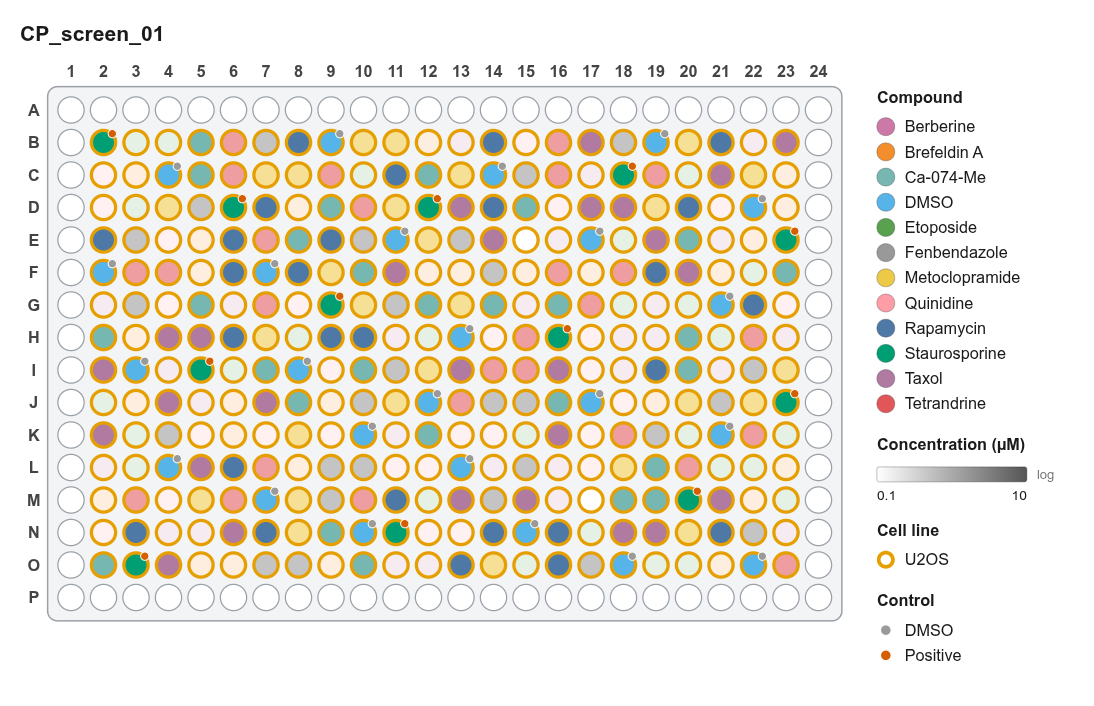
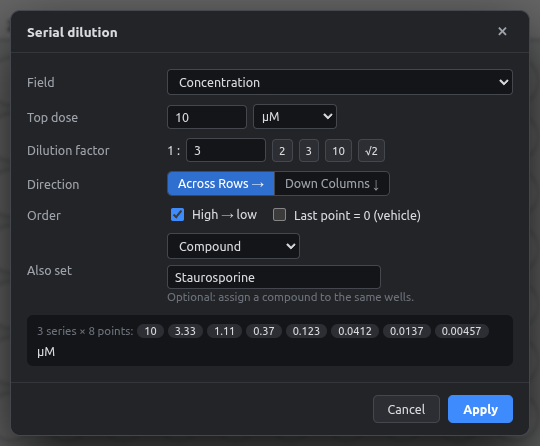
Runs on
| Windows 10/11 | macOS (Apple Silicon & Intel) | Linux (Ubuntu, Debian, AppImage) |
|---|---|---|
Installer or portable .exe |
.dmg |
.deb or .AppImage |