Layers
Each well can show several fields at once. Every part of the well is a layer, and each layer is driven by one field.
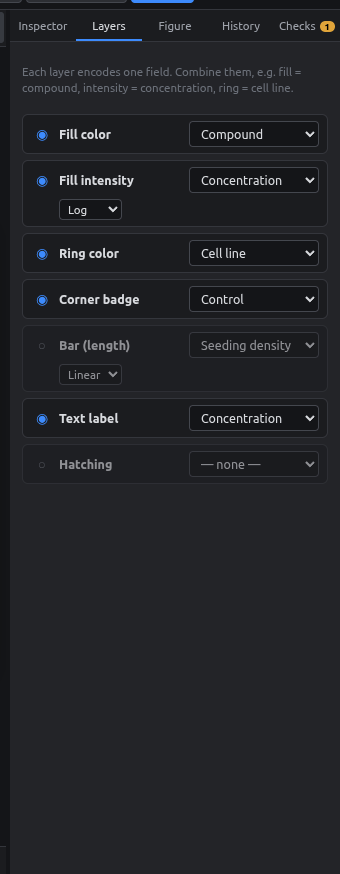
| Layer | What it draws | Typical field |
|---|---|---|
| Fill color | The well's main color | Compound |
| Fill intensity | Lighter/darker version of the fill | Concentration (log) |
| Ring color | A colored ring around the well | Cell line |
| Corner badge | A small dot at the top-right | Control type |
| Bar (length) | A small bar whose length is the value | Seeding density |
| Text label | The value printed in the well | Concentration |
| Hatching | Diagonal stripes | An "excluded" yes/no field |
For each layer:
- ◉ / ○ turns the layer on or off.
- Dropdown picks the field it shows.
- For number fields: Linear / Log scale. Use log for dilution series.
- For number fields: Ramp… presets and editable color stops.
Examples
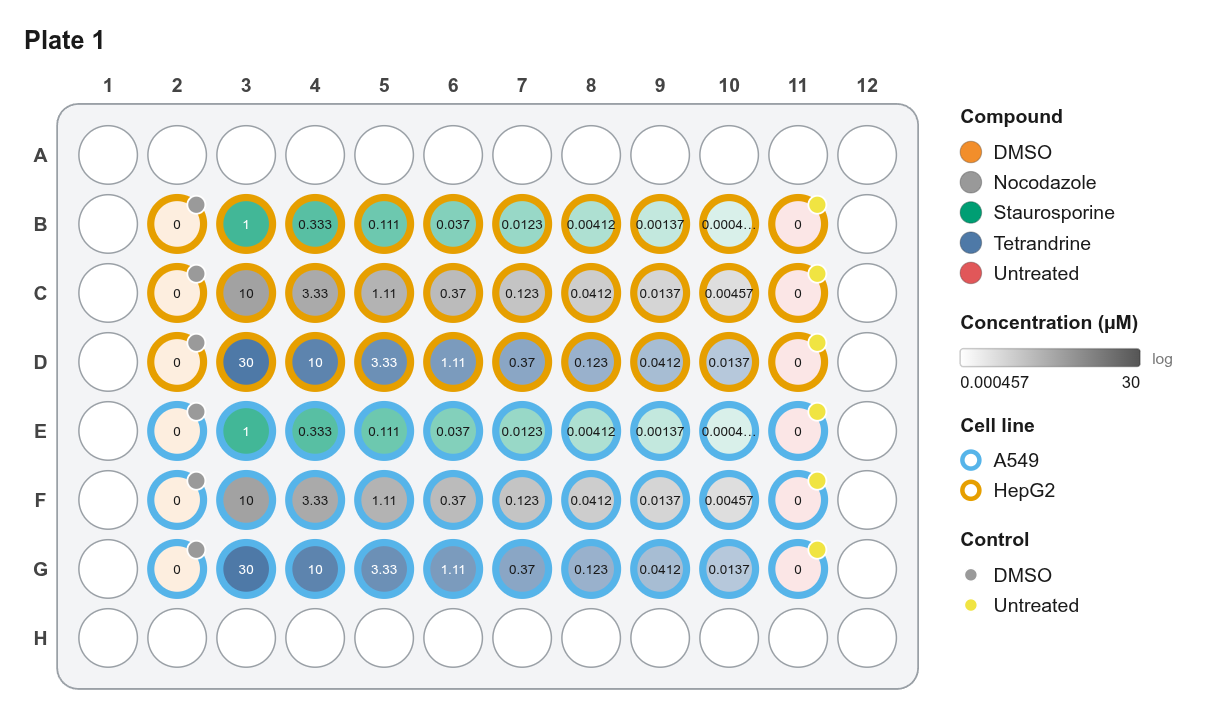
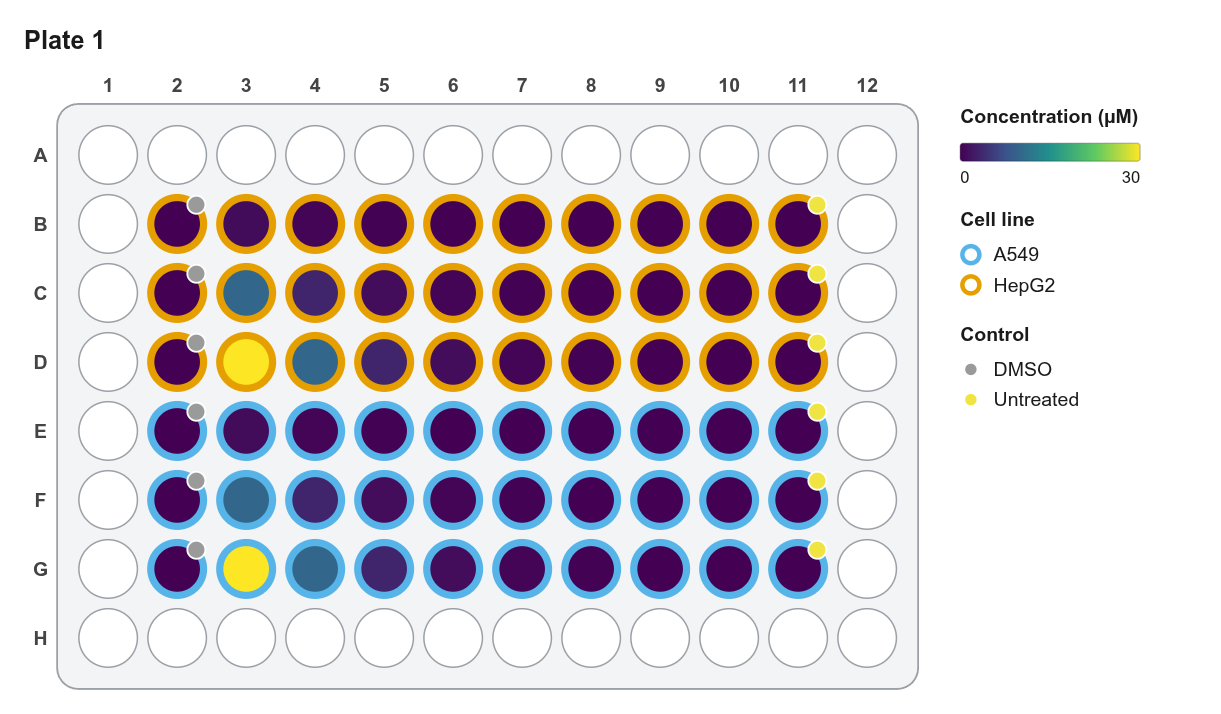
Keep figures readable
Three or four layers is usually the limit before a figure gets busy. Turn layers off for slides and keep them for supplementary figures.
The legend updates automatically and only lists values used on that plate.