Units
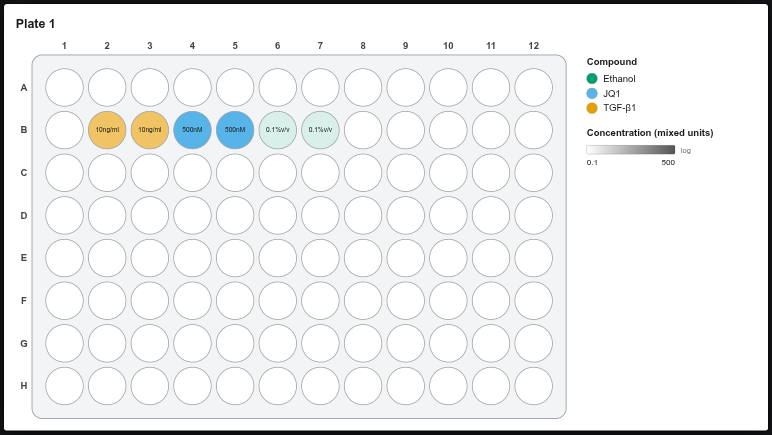
Every number can have its own unit, and one plate can mix them. For example, TGF-β1 at 10 ng/ml, JQ1 at 500 nM and ethanol at 0.1 % v/v.
Available units
| Kind | Units |
|---|---|
| Molar | fM, pM, nM, µM, mM, M |
| Mass / volume | pg/ml, ng/ml, µg/ml, mg/ml, g/l |
| Percent & parts | %, % v/v, % w/v, ppm, ppb |
| Activity & other | U/ml, IU/ml, x (fold), MOI |
| Cells | cells/well, cells/ml, cells/cm² |
| Time | s, min, h, d |
| Volume | nl, µl, ml |
You can also type any other unit, e.g. 10 mg/kg. Typed units are kept exactly as written.
Setting units
Type the number, then pick the unit from the dropdown next to it. You can also type them together: 10 nM, 10nM and 0.5 µg/ml all work.
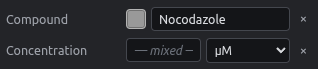
Changing only the dropdown changes the unit of the selected wells and leaves the numbers alone.
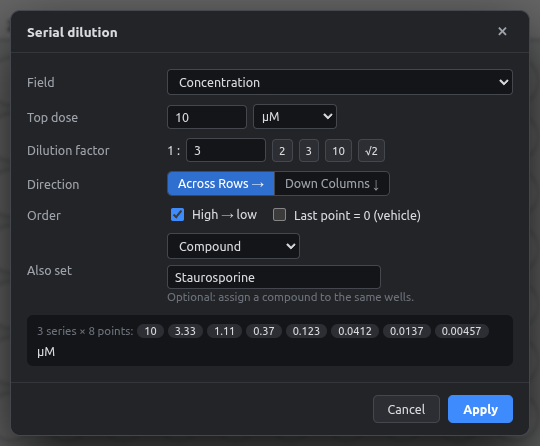
The Top dose has its own unit dropdown. The whole series uses that unit.
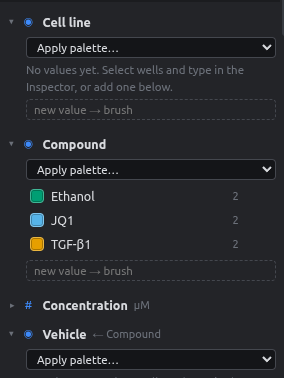
The new value → brush box in the Fields panel has a unit dropdown. Brushing paints the number together with its unit.
Numbers are listed per value and unit, so 10 nM and 10 ng/ml appear separately. Double-click one to change it everywhere, e.g. to 20 µg/ml.
Changing the default unit
Each number field has a default unit (Concentration: µM), set in the field settings (⚙). Wells without their own unit use the default.
Changing the default never changes your data
If you switch Concentration from µM to nM, wells that were 3 µM stay 3 µM: they get µM as their own unit. Wells already in nM simply follow the new default.
Units in exports
| Export | How units appear |
|---|---|
| Platemap CSV | Inside the value: 10nM, 10ng/ml, 0.1%v/v, and plain 0 for vehicle. µ is written as u (1uM). This can be switched off. |
| Data CSV | The header carries the default unit (Concentration (µM)). Values with a different unit include it. |
| Figure | Well labels show the unit when it differs from the default; the legend title shows the unit or "mixed units". |
Color scaling with mixed units
The fill-intensity and color-ramp layers scale on the raw numbers. On a plate that mixes nM and ng/ml, compare shades only within one unit.