384-well Cell Painting screen
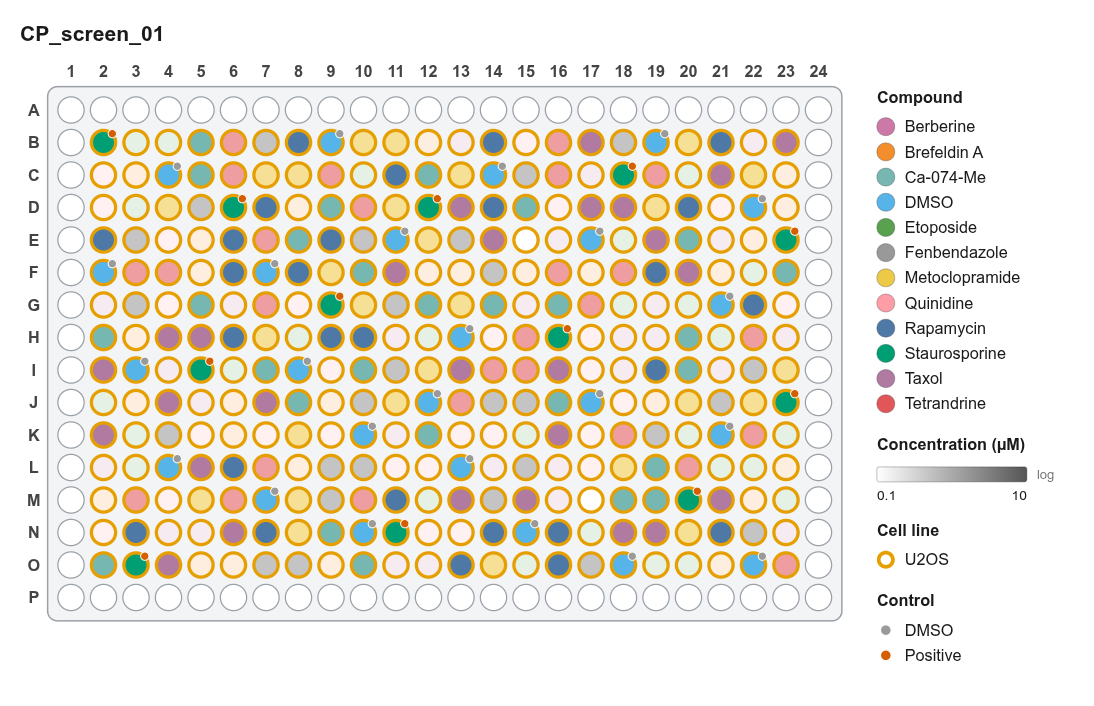
Goal: profile 10 reference compounds at 3 doses in U2OS cells on a 384-well plate. Controls are spread across the plate, positions are randomized, and the metadata goes straight to pycytominer.
Steps
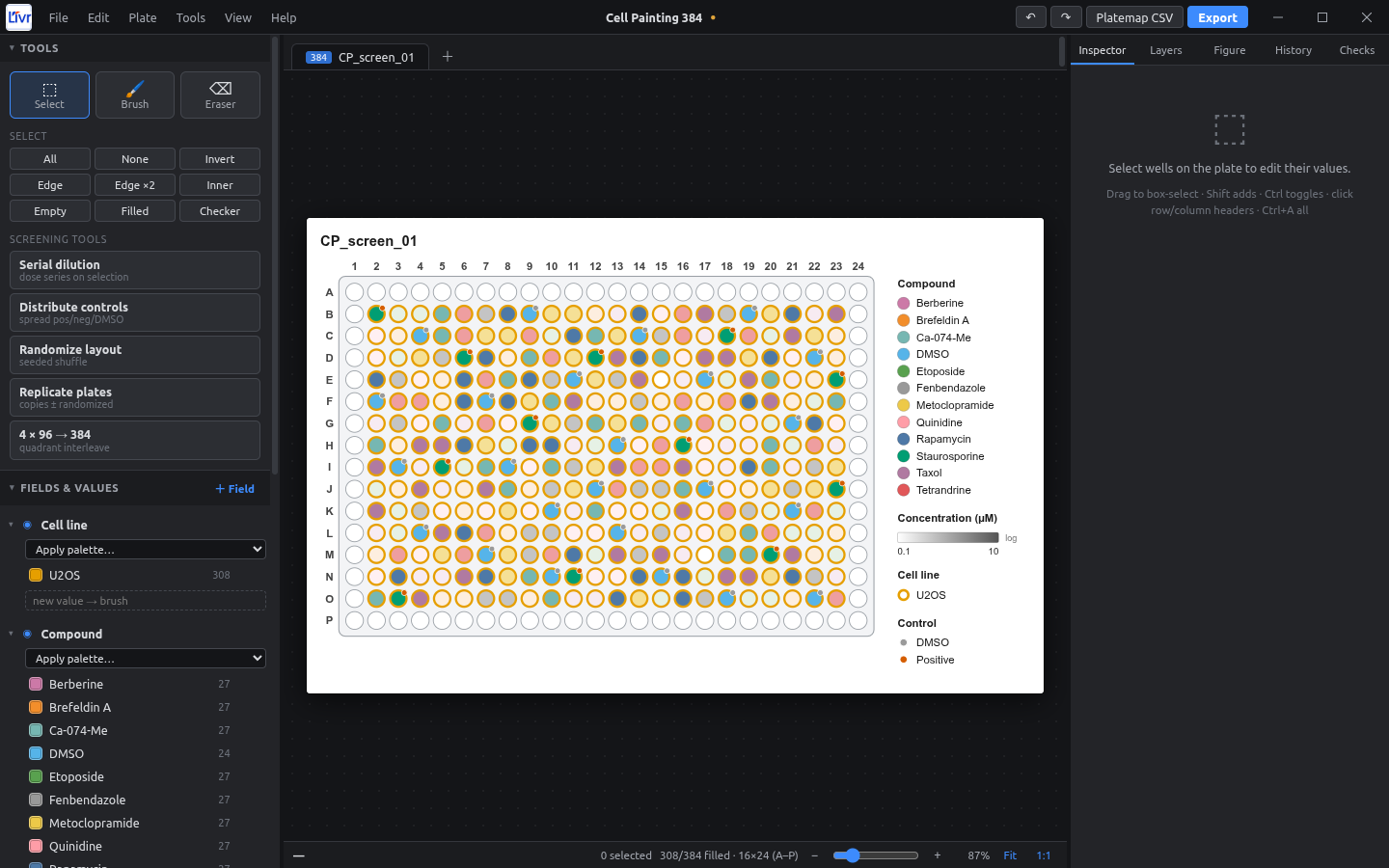
- New project → 384-well. Name the plate
CP_screen_01(double-click the tab). - Controls first: Distribute controls with DMSO × 24, Positive × 12, Place in: Empty, non-edge, Balanced spread, seed
7. The placed wells stay selected; give the DMSO ones CompoundDMSOand the positive onesStaurosporine. - Cell line: click Inner, then set Cell line =
U2OS. - Compounds: select blocks of empty inner wells and set compound and dose, or import them from a compound-library CSV (File → Import).
- Randomize: select Inner, then Randomize layout with Keep control wells in place and seed
2026. - Auto-fill: set the vehicle and compound class once per compound; every well follows.
- Barcode: in Plate settings, set Barcode to the plate barcode your imager writes (e.g.
BR00123456). - Export: Platemap CSV → All plates, One per plate, Also write barcode_platemap → choose your project's
metadata/folder.
Using it in pycytominer
import pandas as pd
from pycytominer import annotate

platemap = pd.read_csv("metadata/platemap_CP_screen_01.csv")
profiles = pd.read_csv("profiles/CP_screen_01.csv")

annotated = annotate(
    profiles=profiles,
    platemap=platemap,
    join_on=["Metadata_well_position", "Metadata_Well"],
)
Column names
Some pipelines expect a Metadata_ prefix. Rename the headers once in the export dialog (e.g. treatment → Metadata_treatment). New projects keep that layout.