Bringing in existing platemaps
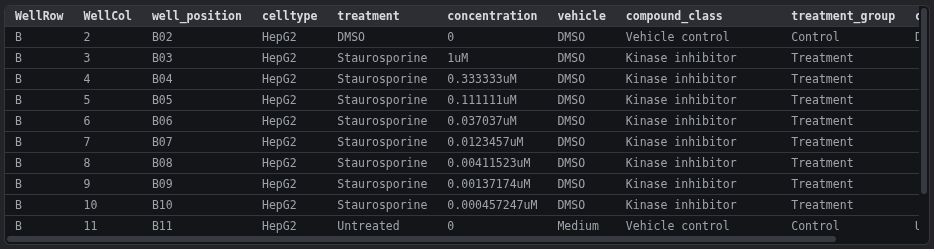
Goal: you already have platemap CSVs from earlier experiments, such as platemap_NF1_plate16.csv. You want to edit them, reuse their exact column layout, and stop fixing vehicles by hand.
1. Import
File → Import table / platemap (CSV/TSV)… and pick the file. Repeat for each plate. Every file becomes a plate named after the file (platemap_NF1_plate16.csv → NF1_plate16).
The app:
- maps
celltype,treatment,concentration,vehicle,compound_classandtreatment_groupto the built-in fields; - reads
10ng/mland1uMas number + unit; - learns treatment → vehicle / compound class / treatment group from the rows;
- uses the file's header as the export layout, so exports have the same columns in the same order.
2. Edit
Change wells as usual. A new treatment gets its vehicle and class automatically once you set them for one well. Checks lists any treatment whose vehicle is still unknown.
3. Export
Platemap CSV → All plates → One per plate:
Identical files
An imported platemap that you export again without changes is byte-for-byte identical to the original. Your downstream scripts keep working.
Starting new experiments with the same layout
Once one platemap has been imported (or Use header from CSV… used once), new projects remember the column layout. Every future export matches your existing files.