Serial dilution
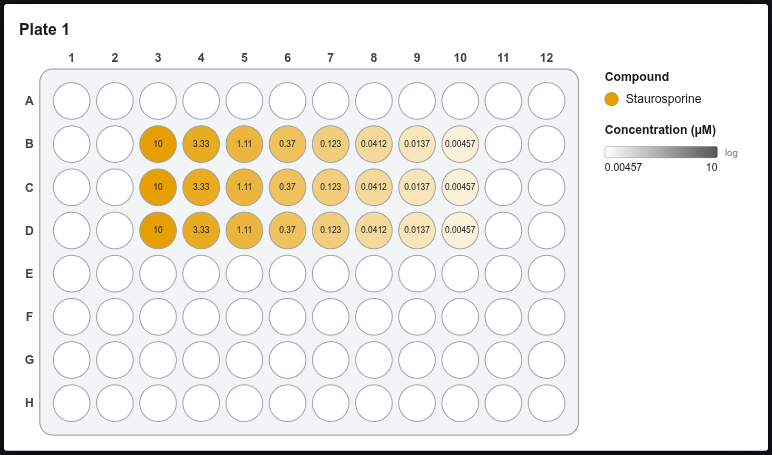
Fills the selected wells with a dilution series. Each selected row (or column) becomes one series, so selecting 3 rows × 8 columns gives 3 replicate series of 8 points.
Step by step
-
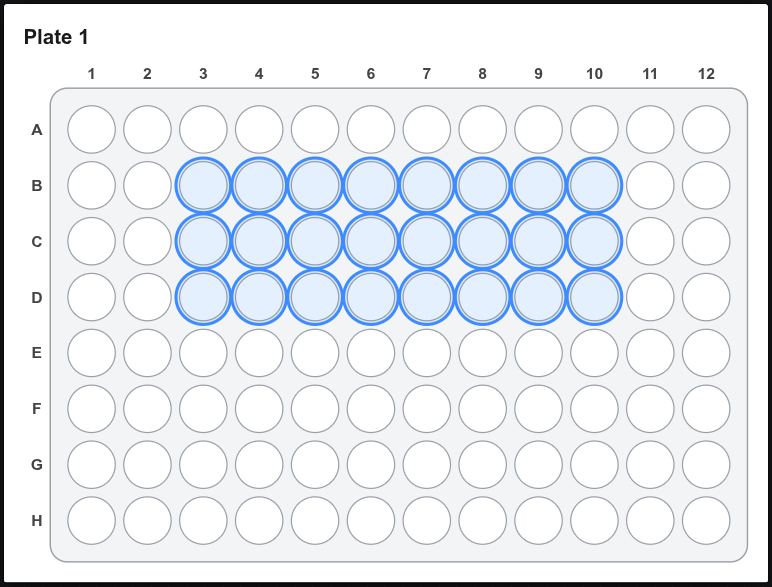
Select the wells, e.g. B3–D10.
-
Click Serial dilution (left panel) or Tools → Serial dilution….
-
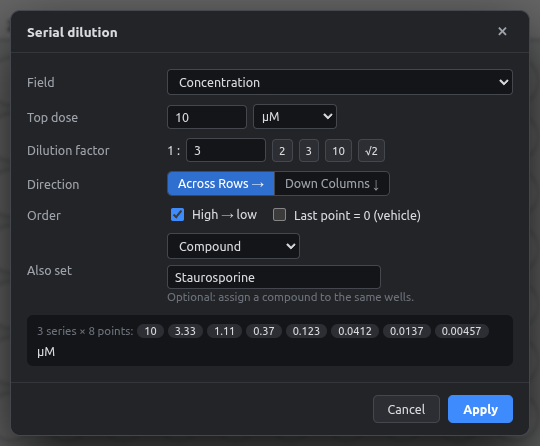
Fill in the dialog:
Option Meaning Field Which number field to fill (usually Concentration) Top dose + unit Highest concentration and its unit (nM, µM, ng/ml, …) Dilution factor 1 : x. Quick buttons for 2, 3, 10 and √2 (half-log) Direction Across rows →: each row is a series. Down columns ↓: each column is a series High → low Untick to start with the lowest dose Last point = 0 (vehicle) Makes the last well of each series a vehicle control Also set Optionally give the same wells a compound in one go -
Check the preview at the bottom, then click Apply.
Different compounds per row
Run the wizard once per row with a different Also set compound, or run it once on all rows and then change the compound per row in the Inspector.
Precision
Values are kept to 6 significant digits (e.g. 0.333333). Exports write them without rounding artifacts.