Plates & formats
Supported formats
| Format | Layout | Rows |
|---|---|---|
| 6-well | 2 × 3 | A–B |
| 12-well | 3 × 4 | A–C |
| 24-well | 4 × 6 | A–D |
| 48-well | 6 × 8 | A–F |
| 96-well | 8 × 12 | A–H |
| 384-well | 16 × 24 | A–P |
| 1536-well | 32 × 48 | A–AF |
| Custom | any rows × columns |
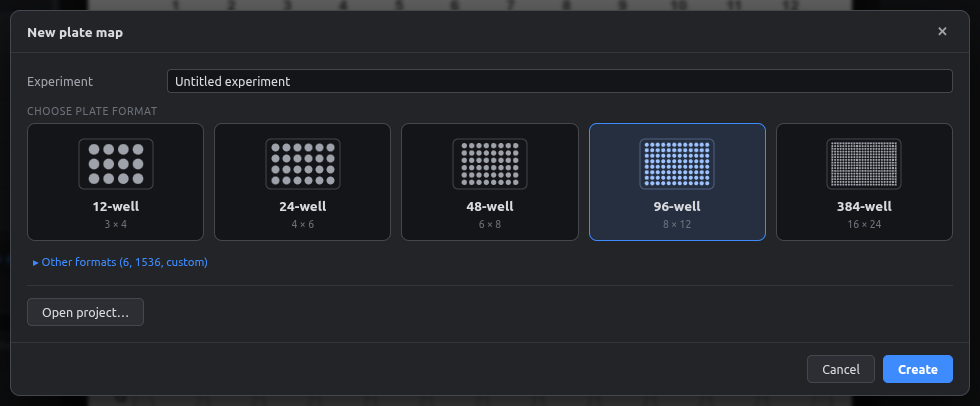
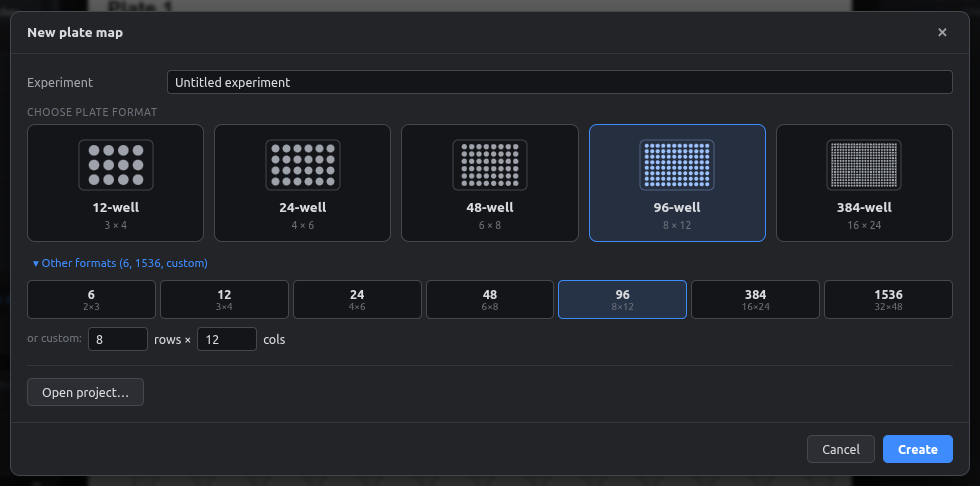
You pick the format on the start screen. Click Other formats there for 6-well, 1536-well or a custom size.
Several plates in one project
Each plate gets a tab above the canvas. The badge on the tab shows the well count.

| To… | Do this |
|---|---|
| Add a plate | Click + next to the tabs, or Plate → New plate… |
| Switch plate | Click its tab |
| Rename, change format, set barcode | Double-click the tab (Plate settings) |
| Duplicate, reorder, delete | Right-click the tab |
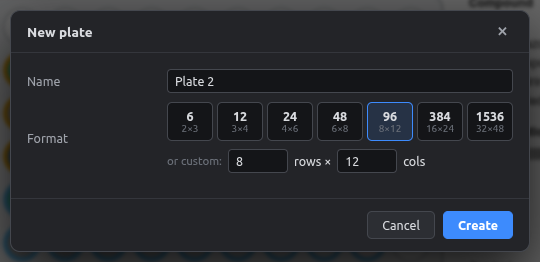
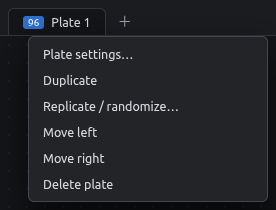
Plate settings
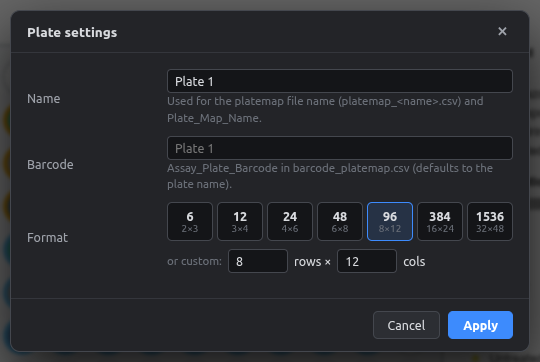
- Name: shown as the figure title and used for the platemap file name (
platemap_<name>.csv). - Barcode: written as
Assay_Plate_Barcodeinbarcode_platemap.csv. If left empty, the plate name is used. - Format: changing it keeps every well that still fits. If wells would be removed, the dialog warns you first, and you can always undo.
Fields and layers are shared
All plates use the same fields, colors and layers, so a compound has the same color on every plate. Well values are per plate.