Randomizing layouts
Randomization breaks the link between what is in a well and where it is, so plate position can't masquerade as a treatment effect.
Step by step
- Select the wells to shuffle. Usually Inner, so the edge wells stay as buffer.
- Randomize layout (left panel) or Tools → Randomize layout….
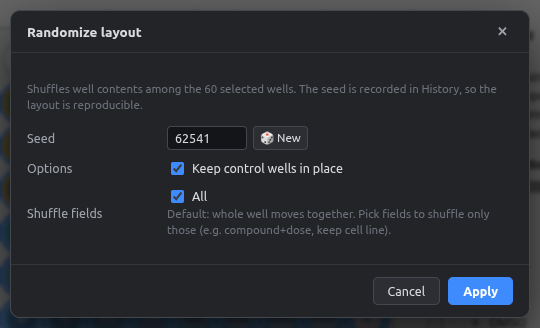
| Option | Meaning |
|---|---|
| Seed | Same seed + same starting layout → same result. Recorded in the History step name |
| Keep control wells in place | Controls stay put; only treatments move |
| Shuffle fields | All: whole wells move. Or tick only some fields, e.g. shuffle compound + concentration but keep the cell line per row |
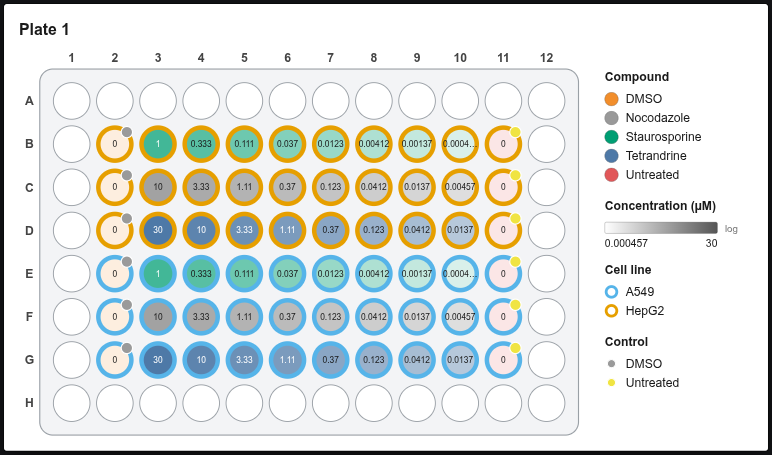
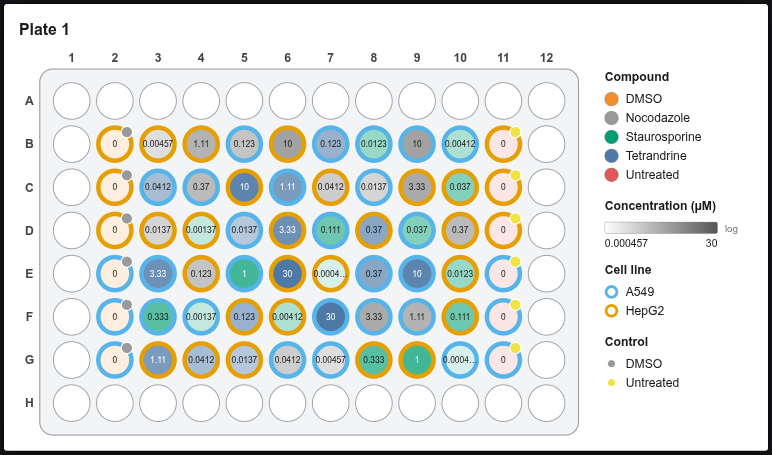
Auto-filled fields travel along
When you shuffle only Compound, its vehicle, class and treatment group move with it, so a well never ends up with the wrong vehicle.
Reproducibility
Write the seed in your methods section. With the same plate layout and seed, the app gives exactly the same randomization on any computer.